
Tizi Town - Pink Home Decor
Tizi Town GamesEducational
3.999.00 Reviews
- Version
- 1.4.4
- Installs
- 10.00M
- Age Rating
- Everyone
Screenshots
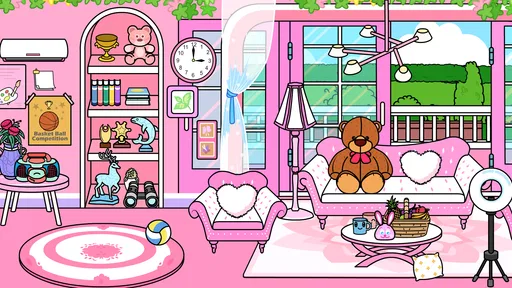
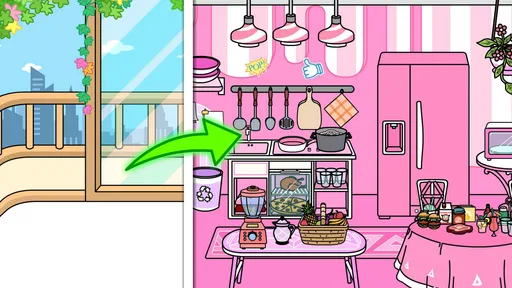
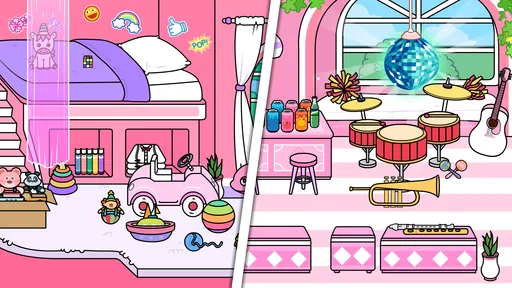
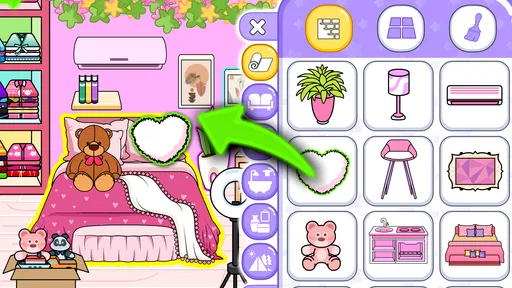
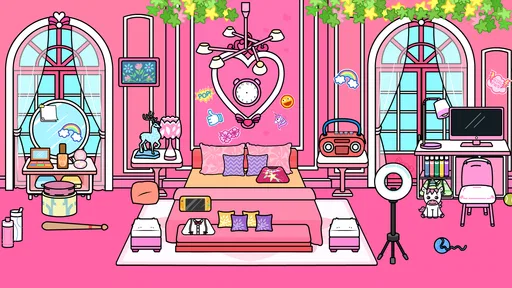
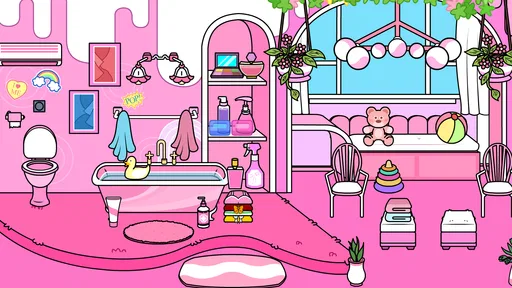
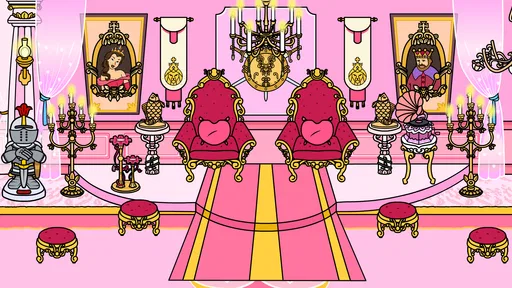
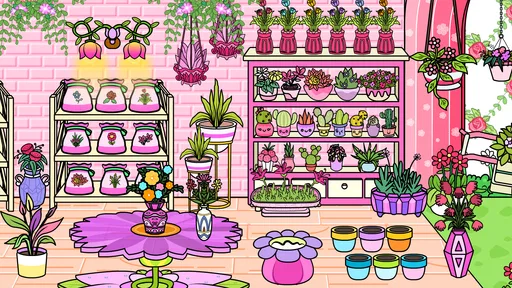
Our Review of Tizi Town - Pink Home Decor
 Analysis by Appyee
I approached Tizi Town - Pink Home Decor as a relaxed, child-friendly decorating game rather than a serious interior-design simulator. From the first session, its appeal is easy to understand: you get a playful home setting, arrange rooms, and experiment with a pink-focused visual style without needing design knowledge. I found it most enjoyable when I treated each room as a small creative project instead of trying to build a complete, perfectly coordinated house in one sitting.
That distinction matters because this is an educational game from Tizi Town Games, not a professional planning tool. It encourages visual choices, organization, and imaginative play, but it does not replace a room-planning app or a detailed design sandbox. The free entry point makes it simple to try, while optional purchases priced at $1.99 per item can affect how much content a player can comfortably explore.
Where the experience can become confusing
The first place I would expect some players to hesitate is the difference between exploring a room and actually making a meaningful design choice. In a decorating game, tapping around can feel productive even when the player has not yet decided what they want the space to communicate. I had a better time when I paused before changing things and chose a simple goal, such as making one corner feel cozy or keeping the room visually balanced.
For younger players, this kind of open-ended play is both the strength and the possible weakness. There is freedom to experiment, but freedom can also make the game feel less directed than a level-based educational title. A child looking for clear tasks, scores, or a finish line may wonder what to do next. I would introduce it as a creative activity: “Let’s decorate this room together,” rather than promising a structured challenge with a definite solution.
The pink theme gives the game a recognizable identity, but it will not suit every taste. Players who prefer realistic architecture, neutral palettes, or detailed construction mechanics may find the presentation too narrow. I see the style as best suited to children and casual players who enjoy cheerful home makeovers, characterful spaces, and imaginative decorating rather than technical realism.
Another point worth understanding is that decorating games can encourage repeated rearranging without offering much reason to preserve an earlier design. I recommend taking a mental snapshot of a room before making major changes. That small habit helps when a new arrangement looks worse than the previous one, especially for a child who may not remember which placement felt better.
The game is free to start, and that lowers the risk of trying it. Still, optional purchases mean families should decide in advance whether the child may use them. I would make that conversation part of setup, not wait until a desired item appears. The purchase price is shown as $1.99 per item, so a series of small decisions can matter more than one isolated purchase.
What I would explain before handing it to a child
I would give a short explanation rather than a long tutorial: explore slowly, change one area at a time, and ask before making any purchase. This keeps the first session calm and turns the game into a shared creative exercise. It also prevents a common disappointment: expecting every visible decoration to be immediately available or expecting the game to tell you exactly how the room should look.
For independent play, I would suggest a simple challenge such as creating a reading corner, arranging a bedroom around one color, or making the room feel less crowded. These prompts give the open-ended format a little structure without taking away the imaginative part. They also make it easier for a parent to see what the child is learning: grouping objects, comparing colors, and thinking about how a space is used.
The Everyone content rating supports that family-friendly positioning. I would still play alongside very young children during the first session, not because the concept is difficult, but because the child may need help understanding navigation, available choices, or purchase prompts. A few minutes of shared exploration usually reveals whether the controls feel natural to that particular player.
Setup checks that prevent avoidable frustration
Before judging the game, I would check the device first. The listed minimum operating-system requirement is Android 7.0, so an older phone or tablet may be the source of trouble rather than the game itself. On a compatible device, I would close other demanding apps, make sure the system has room to work, and restart the device if the installation or first launch behaves strangely.
I would also confirm that the game has finished installing before opening it repeatedly. Tapping the icon several times during an incomplete installation can create the impression that the app is frozen when the real issue is the device’s installation process. If the game opens but reacts slowly, I would wait briefly, return to the home screen, and try one clean relaunch instead of repeatedly tapping the same control.
Because this is a visual game, screen responsiveness matters more than it might in a text-based app. If a decoration seems not to move, I would test a deliberate, slow touch in a different part of the screen. That helps separate a missed gesture from a genuine problem. Cleaning the screen and removing anything that interferes with touch input are ordinary checks, but they are especially useful for children who tend to tap quickly or drag with a fingertip resting on the glass.
On iOS or Android, I would use the official app marketplace for installation and keep the operating system reasonably current. I would avoid unofficial copies or modified installers, since they make it much harder to tell whether a problem comes from the game, the device, or the installation source. A clean installation is the most sensible starting point for a family game.
It is also worth checking who is using the device before the first session. If the phone belongs to a parent, a child may accidentally switch into other apps or settings while exploring. A supervised play area, a device-level purchase safeguard, and a clear rule about asking before buying are more useful than blaming the game after an avoidable tap.
The current version is 1.4.4, and the game was released on Mar 5, 2024. I would use the marketplace page to see whether an update is available before troubleshooting further. Updating is a reasonable first step when the game closes unexpectedly or behaves differently after the device has changed, but I would not assume every problem requires an update. Basic checks still matter.
How I would test a first session
My practical test would be short and controlled. I would launch the game, open a room, move or change a small number of items, leave the room, and return to see whether the experience remains stable. Then I would try the same actions with a different room or arrangement. This is more informative than rapidly exploring everything at once because it identifies whether the issue is tied to one action or to the entire app.
I would keep the first design deliberately simple. A crowded room makes it harder to tell whether an object is selectable, misplaced, or simply hidden behind something else. Starting with a few clear changes gives the player confidence and creates a baseline for later experimentation. This is one of the most useful habits I found: change less, observe more, and only then expand the design.
If a child becomes frustrated, I would not immediately reinstall. I would first ask what they expected to happen, then repeat that action slowly. In many creative games, the player’s mental model is the real obstacle. They may be trying to use an object as decoration when the game treats it as part of the room, or they may be looking for a confirmation step that is not obvious. Calmly reproducing the action often solves more than random tapping.
Recovering a decorating session without losing patience
When something goes wrong, I prefer a staged recovery process. First, I leave the current room and return to it. If that does not help, I close the game normally and reopen it. Next, I restart the device. Only after those steps would I consider reinstalling, because removing an app can affect local progress or settings, and that is a poor trade-off when the problem may have been temporary.
I would also avoid making several changes while troubleshooting. If the player changes rooms, adjusts device settings, updates the app, and reinstalls it all at once, there is no way to know which step helped. One change at a time is slower in the moment but much clearer. It also makes it easier to explain the solution to a child the next time the same confusion appears.
A useful recovery trick for open-ended play is to restart the activity mentally, even if the game itself does not need a technical restart. If a room has become cluttered, choose one area to redesign rather than trying to fix everything. Remove the least important visual choices first, then rebuild around a single focal point. This turns a frustrating layout into a manageable design task and teaches a practical organizing skill.
If the app closes during play, I would note what happened immediately before the closure. Was the player entering a room, selecting an object, or switching rapidly between areas? Repeating the same action once after a clean relaunch can reveal a pattern. I would stop repeating it if the problem continues, since persistent crashes are a reason to pause rather than risk losing more progress or patience.
For purchases, I would treat a failed transaction separately from a gameplay issue. Check the device’s marketplace account and purchase controls first, then avoid pressing the purchase button repeatedly. Repeated attempts can create uncertainty about whether a request went through. A parent should handle any payment-related follow-up, while the child returns to the free decorating activities.
The same separation helps with performance complaints. If every app on the device is slow, the game may simply be showing a broader device problem. If only this game struggles while other apps work normally, then restarting, updating, and reinstalling become more reasonable steps. I would not promise that any one fix will work, but this order avoids unnecessary disruption.
Keeping the creative workflow manageable
I found that a room-by-room workflow works better than trying to design the entire house immediately. Begin with one purpose, choose a small group of compatible decorations, and stop when the space feels coherent. Then move to another room. This approach is especially useful for children because it creates visible progress without turning the activity into a race.
Another non-obvious benefit is that the game can support conversation. Ask why a particular object belongs in a room, what makes the arrangement comfortable, or which item should be moved to improve the space. The game itself remains simple, but the discussion adds planning, comparison, and vocabulary. In that role, it works better than a passive video and can become a short shared activity after school.
I would not use it as a formal lesson with fixed learning outcomes. Its educational value is informal and practical: making choices, noticing relationships between objects, and expressing preferences. If you need spelling practice, arithmetic drills, or a curriculum-aligned lesson, a dedicated educational app will be a better match. Here, learning comes through play and design decisions.
When the game may not be the cause
It is easy to blame a game when a child cannot find an item or when a room does not look the way they imagined. Sometimes the real issue is expectation. The store summary presents a dream-house and interior-design fantasy, but that does not mean the experience will behave like professional design software. A player wanting exact measurements, architectural plans, or realistic material previews should choose a specialized tool instead.
Device age is another important factor. A phone that technically meets the minimum operating-system requirement may still feel uncomfortable if its screen is small, its touch response is inconsistent, or it is already struggling with storage and background tasks. For a child, a larger tablet can make visual arranging easier, but I would judge the actual device rather than assume the game needs advanced hardware.
Network conditions can also complicate the first launch or marketplace actions, even when the decorating itself feels simple. If the game behaves differently from one session to another, I would compare a stable connection with the original situation and avoid drawing conclusions from one brief attempt. I would not keep changing settings without a clear reason; basic consistency is more valuable than aggressive troubleshooting.
There is also a mismatch between player temperament and game design. Some children love making their own rules, while others need missions, rewards, and clear objectives. I would recommend this title to the first group, especially children who enjoy arranging spaces and revisiting their creations. For the second group, a structured puzzle or task-based educational game may hold attention longer.
Adults should consider the purchase model as part of the fit. The game is free, but optional items can introduce interruptions or requests. If a family wants a completely purchase-free experience, it may be better to choose a title with no in-app purchases or to use strong device-level restrictions. That is not a criticism of the decorating concept; it is a practical difference between family setups.
The audience size suggests that the concept has broad reach: it has passed 10 million installs. Its average rating is 3.9 from around 9,600 ratings, with 99 reviews shown alongside that score. I read those figures as a sign of a recognizable, generally appealing idea with room for individual expectations to affect satisfaction. A child who loves pink home decoration may rate it very differently from someone expecting a deep simulation.
How it compares with familiar alternatives
Compared with a professional interior-design app, this game is much easier to approach but far less useful for real renovation planning. You do not open it to calculate furniture dimensions or prepare a shopping list. You open it to play with a home theme and make visual choices without consequences.
Compared with a typical puzzle game, it offers less pressure and fewer clearly defined wins. That makes it suitable for quiet play, but it may feel slow to someone who wants levels, timers, or constant rewards. Compared with a general digital dollhouse, its home-decor focus gives the activity a clearer identity, although players who want extensive storytelling may prefer a game built around characters and role-play.
For a younger child, I would choose this over a complicated design simulator when the goal is independent experimentation. For an older child who wants detailed control, I would look for a more advanced creative sandbox. The right choice depends less on the word “educational” and more on whether the player enjoys decorating without needing a score to validate the result.
My practical verdict after using it
I recommend Tizi Town Games’ decorating game for families seeking a gentle, visually focused activity that can be enjoyed in short sessions. It is particularly well suited to children who like pink interiors, rearranging spaces, and inventing their own design goals. The Everyone rating and free starting price make the first trial straightforward, while the Android 7.0 requirement gives older compatible devices a chance to run it.
I would set expectations carefully. This is not a full interior-design simulator, a demanding strategy game, or a lesson app with a formal curriculum. Its strongest quality is the freedom to make a room feel personal. Its main friction comes from that same openness: some players may need an adult to suggest a goal, explain the flow, or help recover from a cluttered arrangement.
My best everyday use case is a short shared session after school. A child can choose one room, create a small theme, and explain the choices while a parent asks simple questions about color, space, and comfort. That gives the game more value than letting the player tap aimlessly, and it avoids the fatigue that can come from trying to complete the whole house at once.
I would skip it for anyone looking for realistic planning tools, detailed construction, formal educational exercises, or a strong progression system. I would also be cautious on a device that is old, crowded with background tasks, or used by a child who is likely to request purchases without supervision. In those cases, a more structured or purchase-free alternative may be a better fit.
Overall, I see Tizi Town - Pink Home Decor as a pleasant creative toy with a clear audience rather than a universal game. Start with a compatible device, establish purchase boundaries, give the first room a simple purpose, and troubleshoot in small steps if something feels wrong. With those expectations, the game delivers an easygoing way to explore home decoration and imaginative play without demanding expert knowledge.
Verdict
Strengths of Tizi Town - Pink Home Decor
- Bright pink-themed rooms encourage creative decorating.
- Simple controls make it accessible for younger children.
- Many objects can be moved, placed, and rearranged freely.
- Open-ended play supports storytelling and imaginative role-play.
- Colorful visuals are appealing on modern Android and iOS devices.
Limitations of Tizi Town - Pink Home Decor
- The pink-focused design may feel repetitive after extended play.
- Some furniture and decorations may require in-app purchases.
- Gameplay has limited goals, challenges, or progression systems.
- Young children may need supervision when viewing purchase options.
- Performance can vary on older devices with limited storage or memory.
Other Releases by Tizi Town Games
View All
Tizi Modern Home & Room Design
Educational4.2

My Hospital Town Doctor Games
Educational3.5

Tizi Cute Kitty: Pet Cat Games
Educational3.2
Similar Picks in This Category
View All
Little Panda Policeman
BabyBus4.0

Monster Trucks Game for Kids 2
Raz Games4.1

Little Panda's Chinese Recipes
BabyBus4.4

Little Panda's Restaurant
BabyBus4.4

Little Panda's Ice Cream Games
BabyBus4.3

Baby Panda Care
BabyBus3.8
Frequently Asked Questions
What is Tizi Town - Pink Home Decor?
Tizi Town - Pink Home Decor is a creative, dollhouse-style decorating game where players can design and explore a colorful pink-themed home. You can arrange furniture, change the appearance of rooms, interact with household objects, and create stories with the available characters. It is designed mainly for casual play and imaginative role-playing rather than competition or time-limited challenges.
How does the home decoration gameplay work?
The main gameplay focuses on exploring rooms and placing or using decorative items. Players can experiment with furniture, accessories, and household objects to create a personalized pink home. The controls are generally simple and touch-based, making the game accessible to children and casual players. Much of the enjoyment comes from freely arranging scenes and inventing situations rather than completing traditional levels.
Is Tizi Town - Pink Home Decor suitable for children?
The game is generally aimed at young children and families because it offers gentle, non-competitive play without complex rules or difficult missions. Its colorful presentation and simple interactions make it easy to understand. However, parents should still review the app’s age rating, advertising, in-app purchase settings, and privacy information before allowing children to play, especially if the device is shared.
Does Tizi Town - Pink Home Decor require an internet connection?
Basic interactions may work without a constant internet connection, depending on the version installed and the device’s operating system. However, internet access may be needed for downloading the game, receiving updates, loading advertisements, or unlocking optional content. If you want to play offline, it is best to test the app after installation and check whether all rooms and features remain available.
Is Tizi Town - Pink Home Decor free to download?
Tizi Town - Pink Home Decor may be available as a free download, but the exact pricing model can vary between Android and iOS and may change over time. Free versions can include advertisements, locked rooms, or optional purchases. Before downloading, check the official store listing for current costs, supported devices, in-app purchase details, and any subscription information associated with the app.
Play our best games!


